AI copilot for Qlik - Built into your browser
Talk to your Qlik app. Write your load script. Same window.
Qloud Cover App+ works alongside Qlik. It combines a chat companion for your app with AI tools for writing and improving your load script. You don’t need to switch between Qlik and other AI tools.
✓ Built directly into your Qlik workflow
✓ Free scripting toolkit
✓ Bring your own AI provider
Free Install from Chrome Web Store
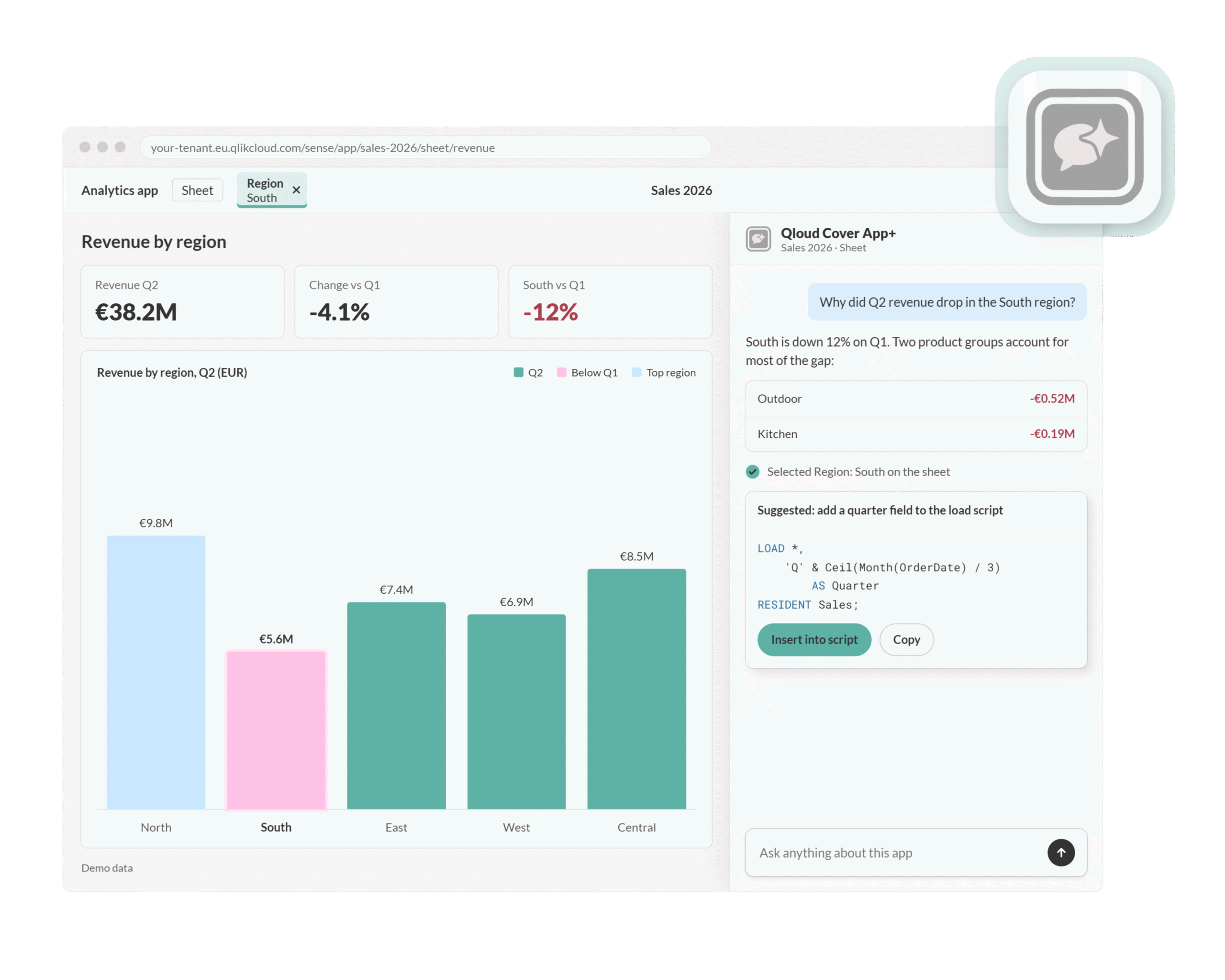
Let's demonstrate Qloud Cover App+ for you
Watch our demo video on how to use App+ in Qlik. Book a meeting with us for a personalized demo.
Why choose our App+ solution?
Qloud Cover App+ is built to make everyday Qlik development faster and easier. Instead of switching between external tools, documentation, and the Data Load Editor, App+ brings AI assistance, reusable script patterns, and built-in quality checks directly into your existing workflow.
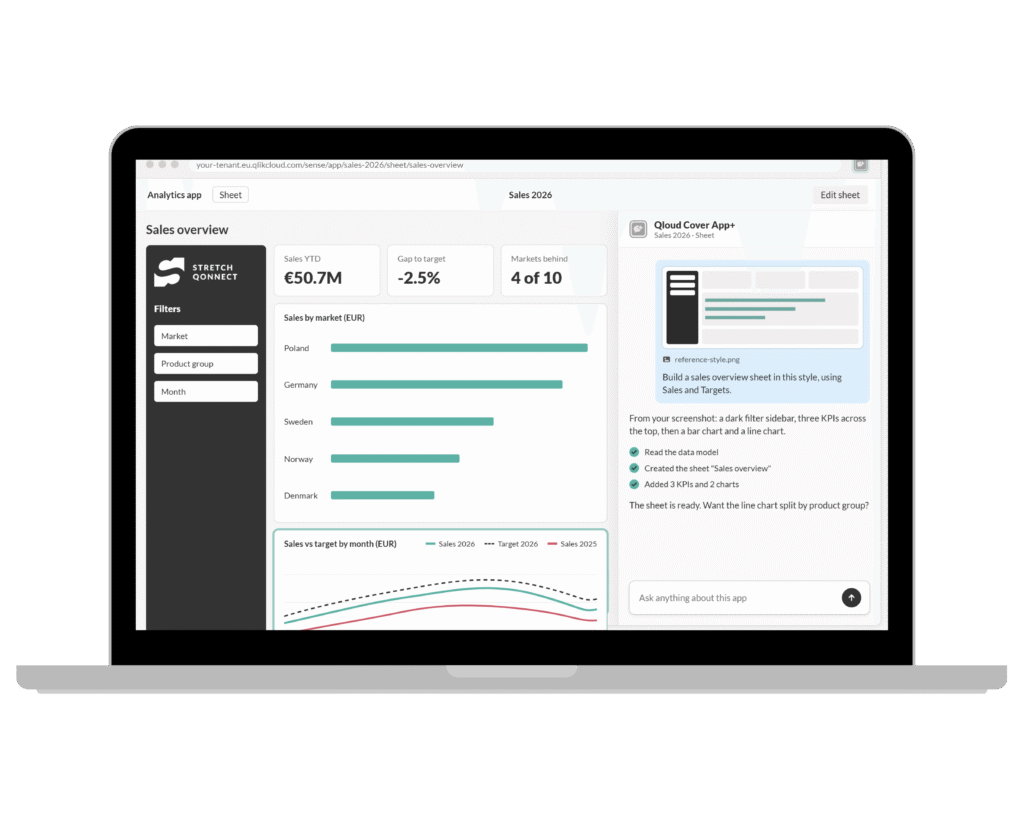
AI help where you need it
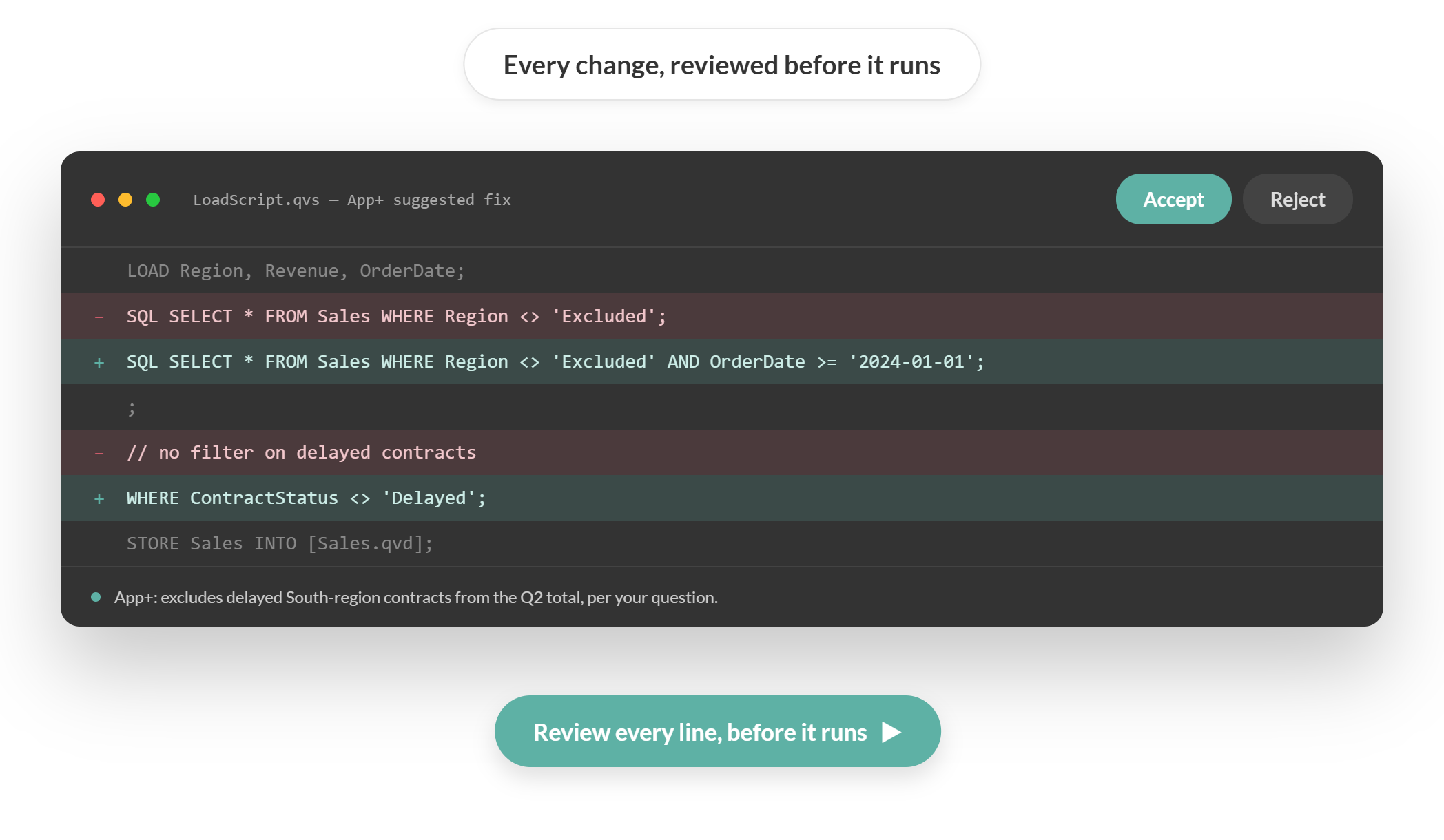
Get assistance directly in the Qlik Data Load Editor. Ask questions, improve scripts, and review changes before you accept them.
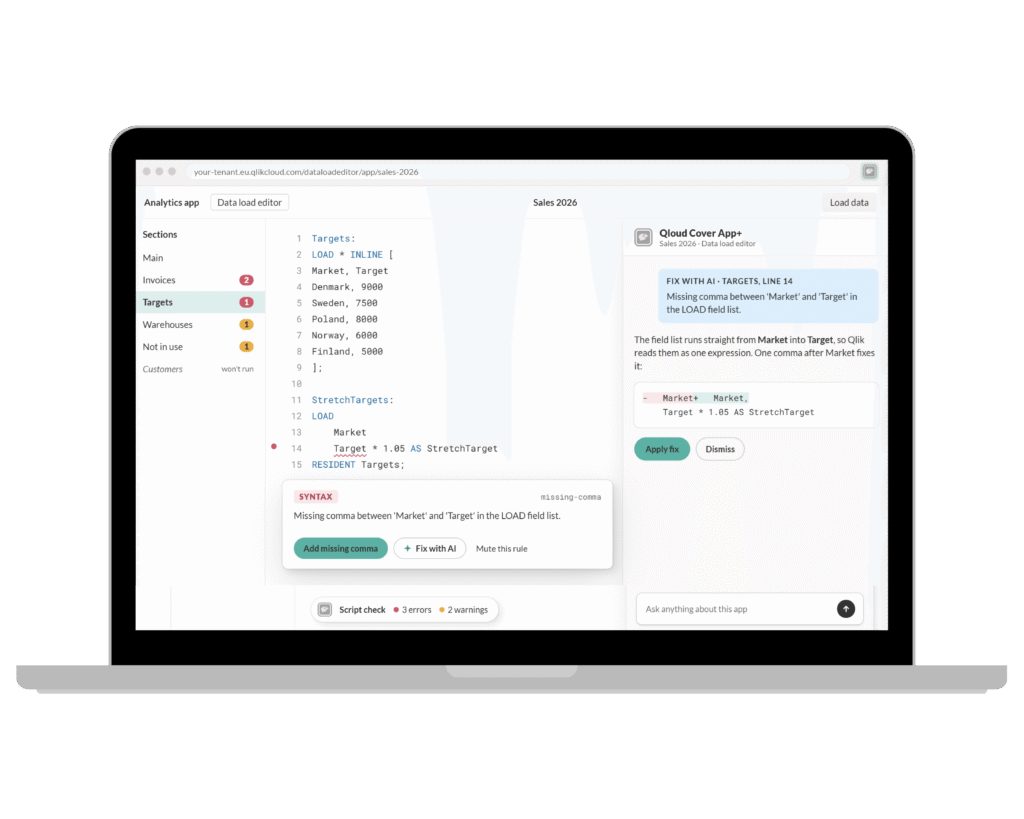
Identify script issues early
Click a Finding to view affected line. Improve indentation and whitespace without logic change. Send to the AI Assistant to review fix suggestions.
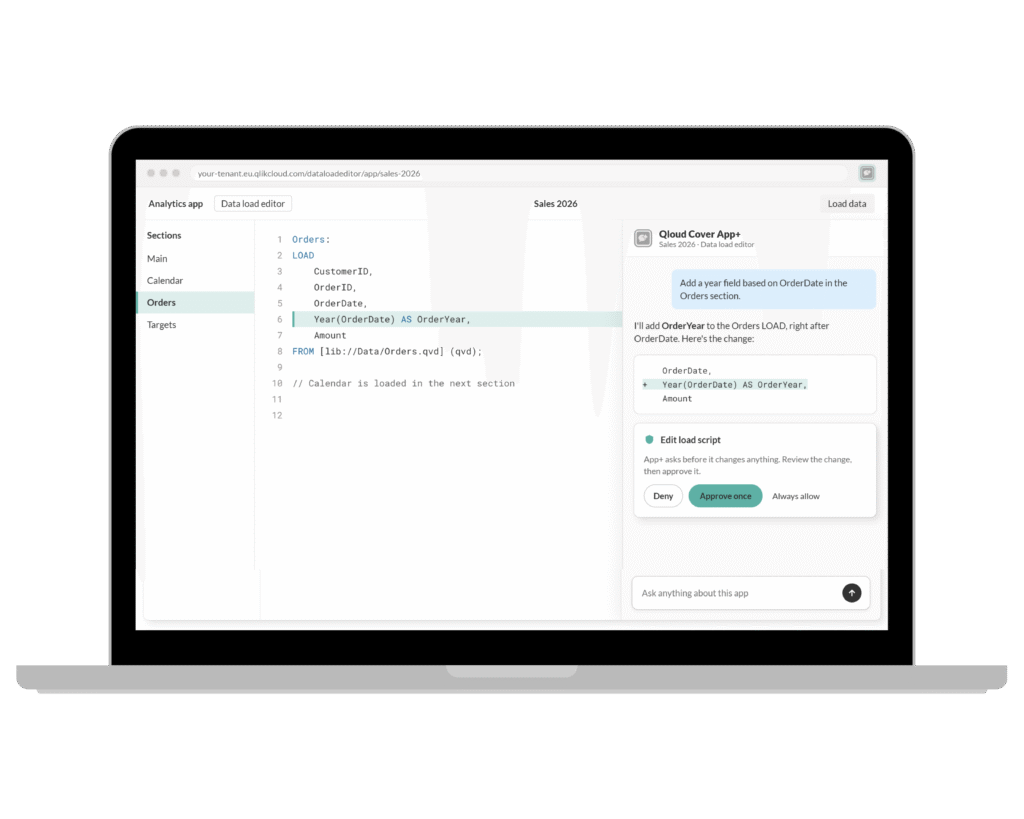
Fast scripting templates
Use ready-made load-script patterns and reusable snippets. Build faster, stay consistent, and avoid repetitive manual work.
Features in App+
Built on trust
Adopt AI in Qlik without handing over your data
Use your preferred AI provider: Anthropic, Claude, OpenAI, Azure OpenAI, or any OpenAI-compatible or self-hosted endpoint.
We never see, store, or proxy your prompts, keeping the key in your browser. They go straight to your provider over HTTPS.
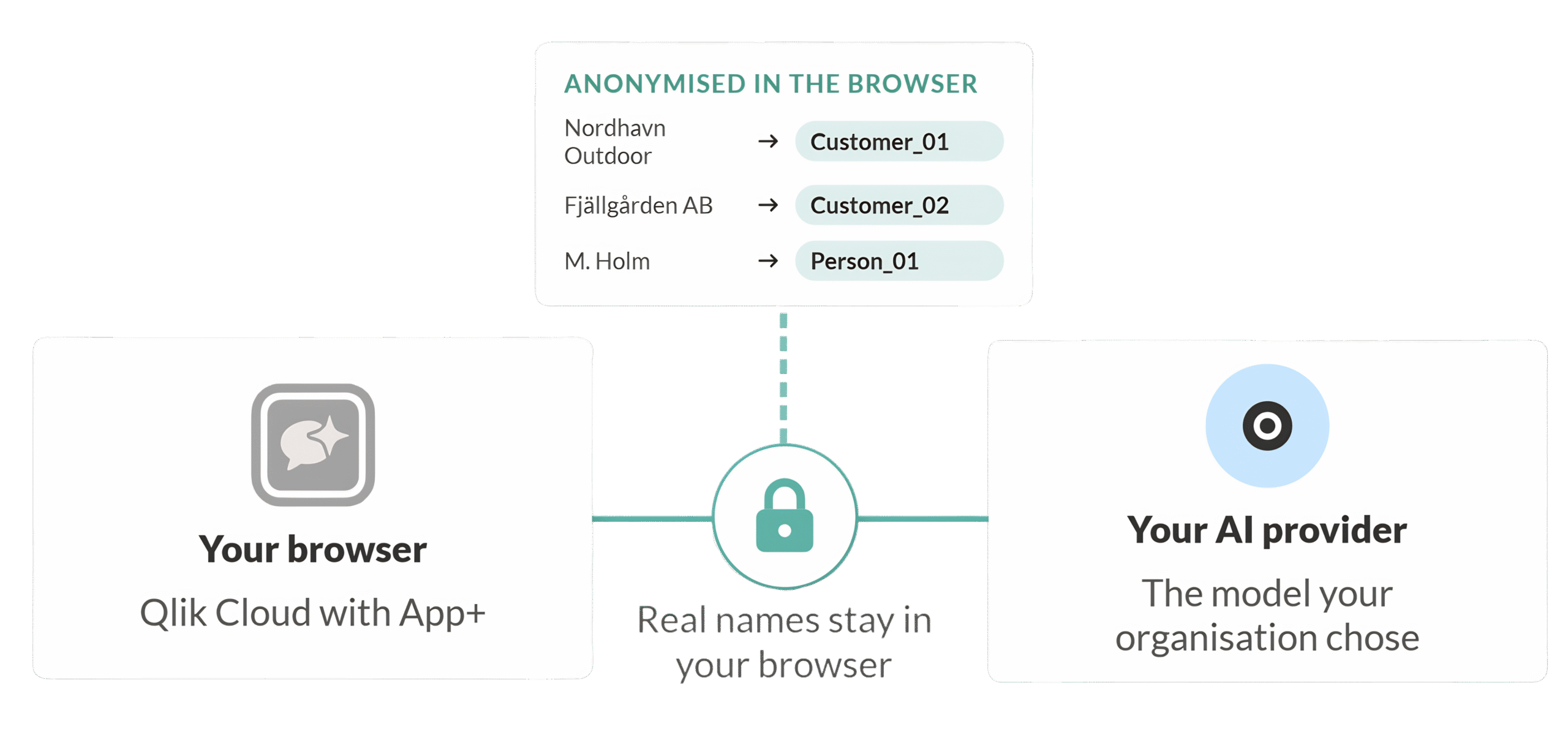
Names are swapped for placeholders before anything leaves the browser and are then restored locally. The mapping never leaves your machine, keeping your data anonymised.
You stay in control. Auto-apply is off by default, and every change is yours to approve.
Key Features
AI assistance, where you write
Get AI assistance directly in the Qlik Data Load Editor — without copying your script into another tool.
- Ask AI about your script — explain complex sections, rewrite a LOAD with error handling, or refactor across tabs.
- Review before anything changes —every suggestion is shown as a diff. Nothing is written until you accept it.
- Command palette — use one shortcut to access reusable templates, snippets, and scripting tools.
- Script Health — catch common issues with built-in checks and safe auto-fixes.
Templates, formatting, linting, and the script outline work even without an AI key.
Vetted load script patterns
App+ includes a collection of reusable Qlik load script patterns for common developmnent tasks.
- Flow control: a ‘try/catch’ wrapper, sections that are guarded, and blocks that are conditional by variable.
- Data shaping: picking, matching, and looking up data. It also involves using IntervalMatch, Crosstable, Hierarchy, and incremental load.
- Lookups and joins: ApplyMap, Crosstable, Hierarchy, and incremental load.
- Tracing and logging: lines with timestamps, row/field counts, and block timers.
- QVD operations: data-stamp storage, cache or source fallback, and layered QVD structures.
Each template includes parameters, so you can insert real values before adding it to your script. You can also save your own shortcuts as templates and organize them into custom categories.
AI copilot inside editor
Ask a question, explain a section, suggest fixes, or add comments to your script without leaving the Qlik Data Load Editor.
- Choose the context: use the current or the fulls cript when asking for help.
- Bring your own AI provider: connect Anthropic Claude, OpenAI, Azure OpenAI, or a compatible endpoint.
- Keep sensitive names private: table, field, and connection names can be anonymized before anything leaves your browser.
- Stay in control: every proposed change can be reviewed before it is applied.
Auto-apply is optional, so you decide when App+ can write changes directly to your script
Catch issues before reload
Script Check scans for common issues that can cause reloads to fail or produce unclear errors.
- Unbalanced blocks
- Unterminated strings
- Missing semicolons
- Duplicate field aliases
- Unknown RESIDENT references
- …and other common script issues.
Click on a finding to jump directly to the affected line. The formatter can also clean up indentation and whitespace without changing your script logic.
For supported findings, you can use Fix with AI to get a suggested correction and review the diff before applying it.
Self-maintaining subroutines
Some templates need helper logic, such as tracing or reusable system functions.
App+ automatically adds the required subroutines to a managed system block in your script.
- No duplicate helper functions
- No manual maintenance
- Updates stay consistent across the script
This keeps reusable logic organized without adding extra maintenance work.
Pricing Plans for individuals and teams
Start for free as an individual developer, or choose a paid plan when you need App+ across a team.
App+ is available in Solo, Fleet, and Enterprise plans, depending on your setup and rollout needs.
Need help choosing the right option? Contact us.
WANT TO DIVE DEEPER?
Installation guide & documentation
Documentation can be found within the tool itself. Access will be granted upon purchase. Below you’ll find a copy of neccesary documentation (preview). If you have any questions or require additional assistance, please do not hesitate to contact us.
Privacy Policy
Built with security reviewers in mind. Full privacy details and threat model in the docs. Don’t hestitate to contact us if you have questions, please do not hestitate to contact us.
CONTACT
Do you want to know more about Qloud Cover App+?
Would you like to try App+ or request a personal demo, before comitting? Don’t hesitate to get in touch!