Automated Backup and Restore – Your Qlik Everything

SOLUTION

Automated Backup and Restore – For Qlik Cloud and On-Prem

Safeguarding Your Qlik Cloud Environment for disaster recovery


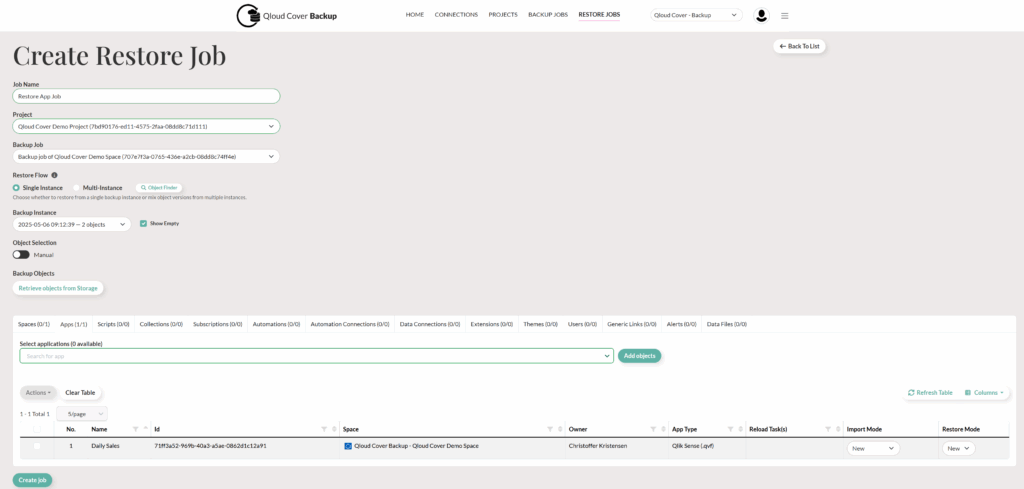
Have you ever wished you could simply undo a mistake?

In today’s data-driven world, even a minor loss can result in major setbacks. That’s why it’s essential to have a reliable safety net.

Qloud Cover Backup provides just that—a dedicated solution for automated Qlik Cloud backup and restore, ensuring peace of mind and operational continuity.

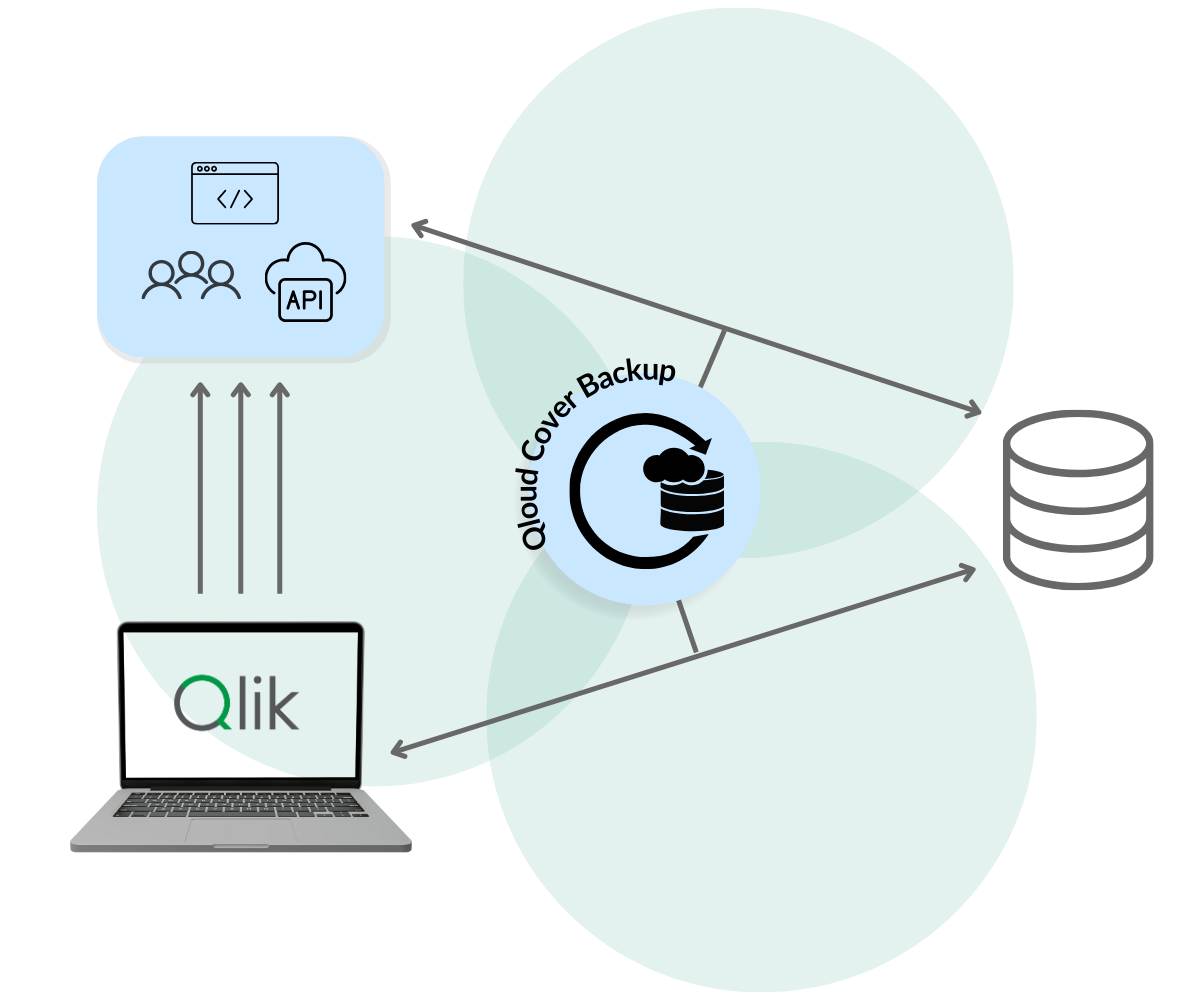
As a powerful SaaS solution, it simplifies the entire process of backing up your Qlik Cloud tenant. Backups are automatically stored in your preferred cloud platform, and just as easily, you can restore individual objects, apps, or full environments to any Qlik Cloud tenant.

Qloud Cover backup
Back up Your Qlik Environment


Have you ever wished you could simply undo a mistake?

In today’s world, where data is key, even a small loss can lead to big problems. That’s why it’s important to have a reliable safety net.

Qloud Cover Backup provides just that—a dedicated solution for either automated Qlik Cloud backup and restore  or Qlik On-Premise backup.

Qloud Cover Backup is the most effective way to back up your Qlik Cloud tenant or On-Prem environments. Backups are automatically stored in your preferred cloud platform or locally. You can also easily restore individual objects, apps, or full environments to any preferred destination or tenant.

Qloud Cover backup

DEMO

Let's demonstrate Qloud Cover Backup for you

Watch our demo video on how to use Backup for Qlik. Book a meeting with us for a personalized demo.

DEMO

Let's demonstrate Qloud Cover Backup for you

Watch our demo video on how to use Backup for Qlik. Book a meeting with us for a personalized demo.

WHAT'S THE DEAL?

Safeguarding Your Qlik Cloud Environment with Ease

Whether you’re dealing with accidental deletions, unwanted changes, corrupted apps, or planning a tenant migration, Qloud Cover Backup ensures your data is not only protected, but always recoverable and under your control.

While Qlik Cloud’s native disaster recovery focuses on platform-level incidents, it often leaves gaps when it comes to everyday risks such as user mistakes or the loss of critical app configurations. That’s exactly where Qloud Cover Backup steps in.

By offering immediate object-level recovery, the ability to store backups on any cloud platform, and tools for fast, secure cloud-to-cloud migrations, it gives you full ownership over your environment.

In other words, you gain the power to restore exactly what you need, when you need it, without relying on platform limitations.
WHAT'S THE DEAL?

Safeguarding Your Qlik Cloud Environment with Ease

Whether you’re dealing with accidental deletions, unwanted changes, corrupted apps, or planning a tenant migration, Qloud Cover Backup ensures your data is not only protected, but always recoverable and under your control.

While Qlik Cloud’s native disaster recovery focuses on platform-level incidents, it often leaves gaps when it comes to everyday risks such as user mistakes or the loss of critical app configurations. That’s exactly where Qloud Cover Backup steps in.

By offering immediate object-level recovery, the ability to store backups on any cloud platform, and tools for fast, secure cloud-to-cloud migrations, it gives you full ownership over your environment. In other words, you gain the power to restore exactly what you need, when you need it, without relying on platform limitations.

Pricing

Qloud Cover Backup operates with a pricing list based on your needs. The amount of apps and data you want to backup determines the predefined price. If you have questions or if your setup varies from the prices below, please contact us.

Are you ready to commit? Click to purchase your Qloud Cover Backup subscription.

Pricing

Qloud Cover Backup operates with a pricing list based on your needs. The amount of apps and data you want to backup determines the predefined price. If you have questions or if your setup varies from the prices below, please contact us.

Are you ready to commit? Click to purchase your Qloud Cover Backup subscription.

Small

$

400

Monthly

$3,840 anually

100 GB

100 users

Medium

$

700

Monthly

$6,720 anually

500 GB

500 users

Large

$

1,000

Monthly

$9,600 anually

1 TB

1,000 users

X-Large

$

1,500

Monthly

$14,00 anually

2 TB

2,000 users

Enterprise

Unlimited GB and users

Get in touch for tailored pricing

Small

$

400

Monthly

$3,840 anually

100 GB

100 users

Medium

$

700

Monthly

$6,720 anually

500 GB

500 users

Large

$

1,000

Monthly

$9,600 anually

1 TB

1,000 users

X-Large

$

1,500

Monthly

$14,000 anually

2 TB

2,000 users

Enterprise

Unlimited GB and users

Get in touch for tailored pricing

BREAKDOWN

Functionalities

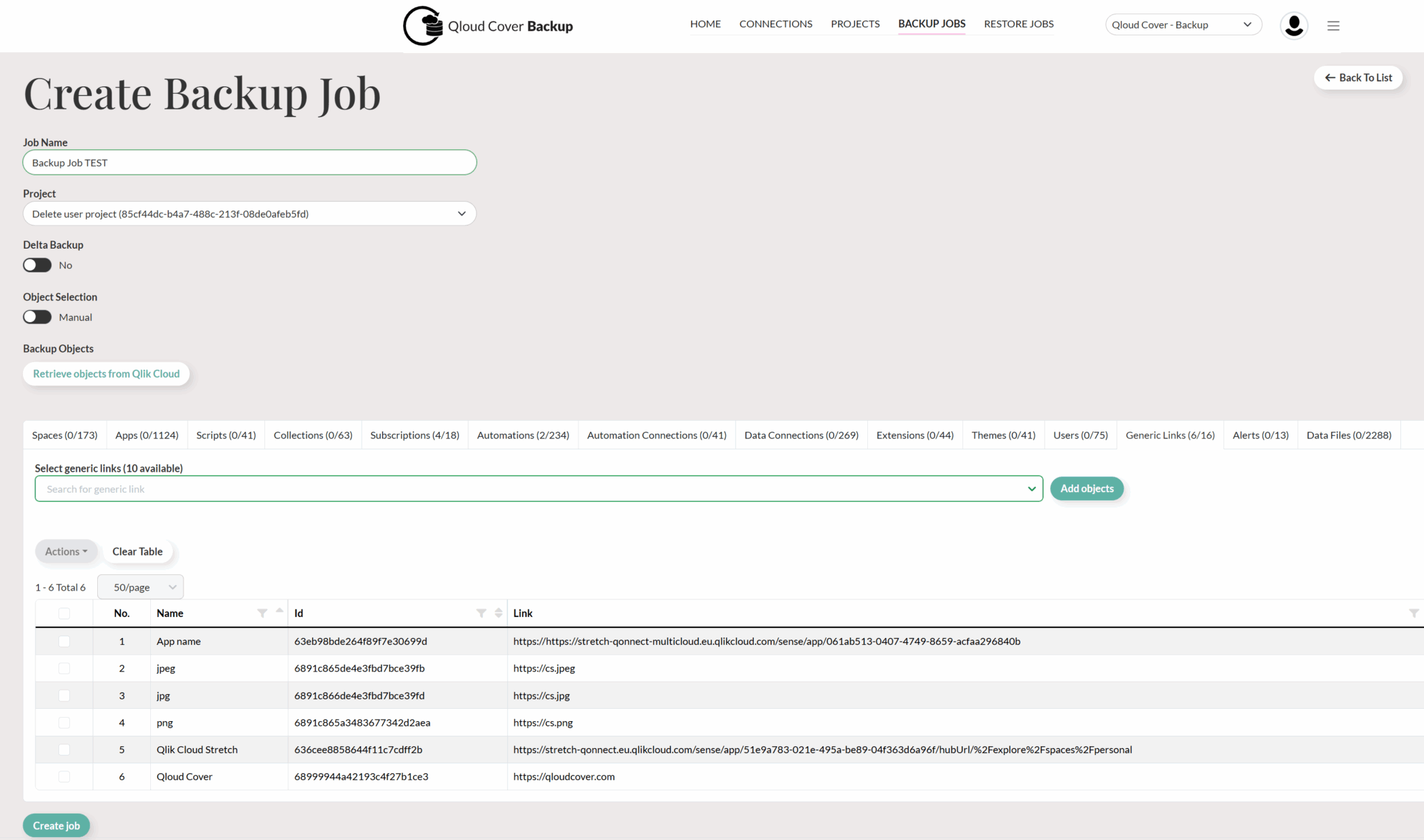
With Qloud Cover Backup, you can protect your entire Qlik Cloud environment or select specific assets.

The system currently creates full backups during each run, organizing them by timestamp to simplify management. To optimize storage, users are encouraged to implement retention policies.

You can backup everything in Qlik, which is important to you, including:

  • Applications
  • Automations
  • Space Settings
  • Data Connections
  • User Allocations & Rights
  • License Allocations
  • Data Alerts
  • Extensions
  • Themes

Whether you need to restore a single app or an entire tenant, Qloud Cover Backup ensures that all metadata, ownerships, and object relationships are preserved.

Thanks to its timestamped backup structure, you can even choose a specific point in time to recover from—allowing you to roll back quickly and accurately, whenever necessary.

Qloud Cover Backup also supports secure, flexible migrations between Qlik Cloud tenants.

You can export data from one tenant, store it securely, and then restore it into another—without losing space assignments or ownership structures. This makes it easier than ever to:

  • Move environments between regions
  • Split one tenant into multiple
  • Or consolidate several into a single environment

In short, it gives you complete control over your Qlik tenant architecture.

Security is central to Qloud Cover Backup. That’s why:

  • Authentication is handled via OAuth or API keys, both securely stored using column-level encryption

  • All data transfers are protected using HTTPS with TLS 1.3 encryption protocols, ensuring your data stays safe during transit

Altogether, this provides enterprise-grade protection without added complexity.

Lastly, you can deploy the solution in a way that works best for you.

Whether you choose to use the Qloud Cover SaaS portal or prefer to deploy it locally in your own environment, you’ll still enjoy the same powerful feature set and flexibility.

This ensures Qlik Cloud protection fits your organization’s specific IT strategy and infrastructure.

BREAKDOWN

Functionalities

With Qloud Cover Backup, you can protect your entire Qlik Cloud environment or select specific assets.

The system currently creates full backups during each run, organizing them by timestamp to simplify management. To optimize storage, users are encouraged to implement retention policies.

You can backup everything in Qlik, which is important to you, including:

  • Applications
  • Automations
  • Space Settings
  • Data Connections
  • User Allocations & Rights
  • License Allocations
  • Data Alerts
  • Extensions
  • Themes

Whether you need to restore a single app or an entire tenant, Qloud Cover Backup ensures that all metadata, ownerships, and object relationships are preserved.

Thanks to its timestamped backup structure, you can even choose a specific point in time to recover from—allowing you to roll back quickly and accurately, whenever necessary.

Qloud Cover Backup also supports secure, flexible migrations between Qlik Cloud tenants.

You can export data from one tenant, store it securely, and then restore it into another—without losing space assignments or ownership structures. This makes it easier than ever to:

  • Move environments between regions

  • Split one tenant into multiple

  • Or consolidate several into a single environment

In short, it gives you complete control over your Qlik tenant architecture.

Security is central to Qloud Cover Backup. That’s why:

  • Authentication is handled via OAuth or API keys, both securely stored using column-level encryption

  • All data transfers are protected using HTTPS with TLS 1.3 encryption protocols, ensuring your data stays safe during transit

Altogether, this provides enterprise-grade protection without added complexity.

Lastly, you can deploy the solution in a way that works best for you.

Whether you choose to use the Qloud Cover SaaS portal or prefer to deploy it locally in your own environment, you’ll still enjoy the same powerful feature set and flexibility.

This ensures Qlik Cloud protection fits your organization’s specific IT strategy and infrastructure.

DIVE INTO THE DETAILS

Download whitepaper

DIVE INTO THE DETAILS

Download whitepaper

Why choose our Backup solution?

Why choose our Backup solution?

100 % self-service

From setup to restore, Qloud Cover Backup is designed for users who want independence without deep technical skills.
Fast setup, fast restore

Secure and scalable

We encrypt everything, scale with your needs, and keep logs to help you monitor and audit—all built with Qlik in mind.

Why choose our Backup solution?

100 % self-service

From setup to restore, Qloud Cover Backup is designed for users who want independence without deep technical skills.

Fast setup, fast restore

Secure and scalable

We encrypt everything, scale with your needs, and keep logs to help you monitor and audit—all built with Qlik in mind.

Start your free trial today!

EXPLAINER

How does it work?

Here’s how you’ll get going with Qloud Cover Backup in five simple steps:

1. SET UP YOUR CONNECTIONS​

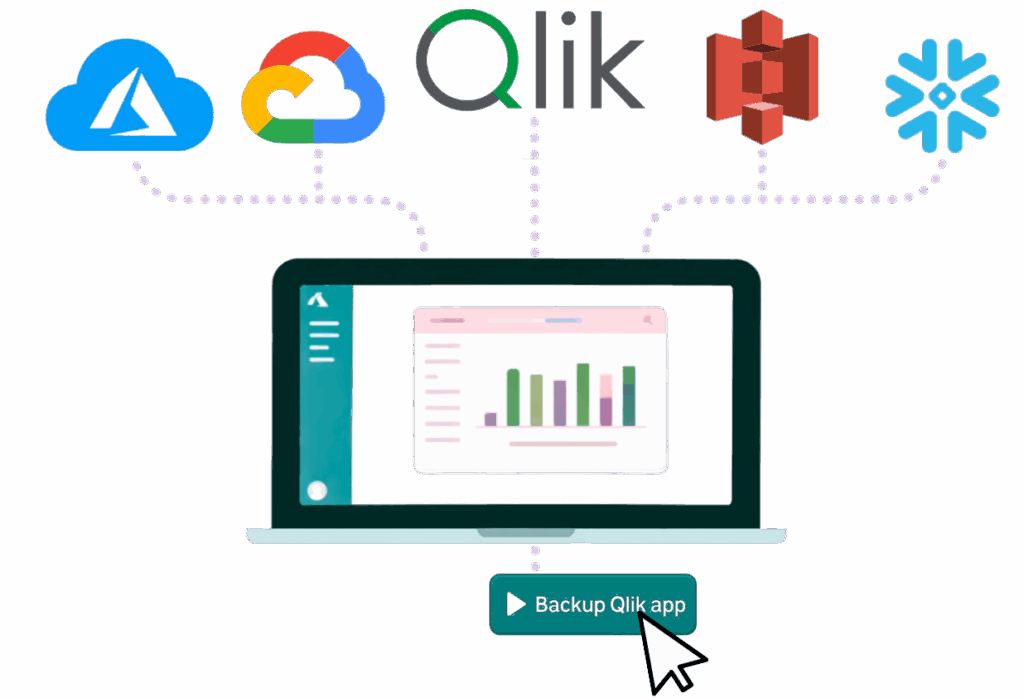
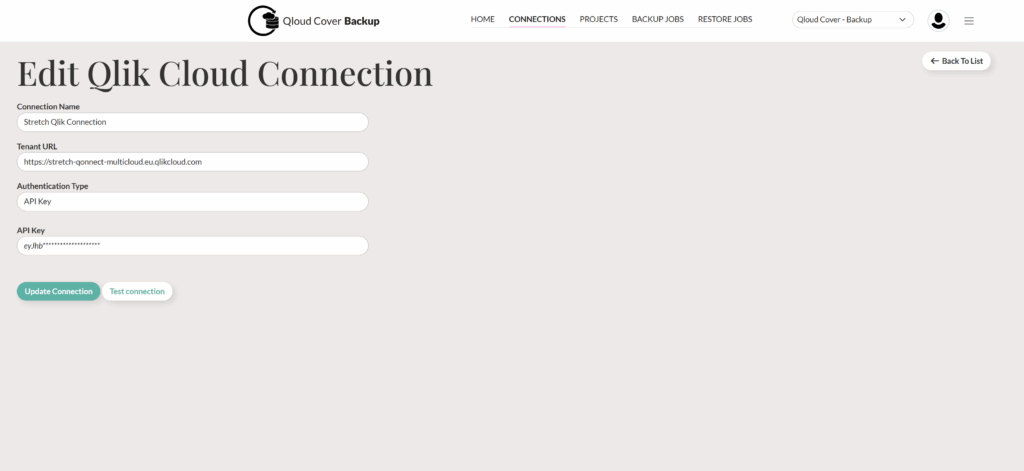
Easily set up connections to multiple Qlik Cloud tenants and multiple cloud storage platforms. Qloud Cover Backup is currently compatible with most cloud storage providers, and more are added monthly.

2. DEFINE YOUR PROJECTS​

Bind your source and target Qlik Cloud connections to your cloud storage connection by creating a Project. Use Projects to define a logical structure and steer your end-to-end backup needs.

3. BACKUP EVERYTHING IN YOUR QLIK CLOUD​

Qloud Cover Backup empowers you and your team to back up all objects within the Qlik Cloud environment—apps, spaces, users, data connections, and more. Never worry about losing them again!

4. RESTORE IT ALL

Made a mistake and deleted something? With Qloud Cover Backup, you’ll be able to bring it all back with a few clicks…and boom. Let’s pretend like nothing happened.

5. PERSONALIZE​

Integrate Qloud Cover Backup into your daily workflow to strengthen and secure your Qlik Cloud environment. Add users and scale up anytime according to your needs. For groups like spaces the tool automatically adds backup jobs to new applications.

EXPLAINER

How does it work?

Here’s how you’ll get going with Qloud Cover Backup in five simple steps:

1. SET UP YOUR CONNECTIONS​

Easily set up connections to multiple Qlik Cloud tenants and multiple cloud storage platforms. Qloud Cover Backup is currently compatible with most cloud storage providers, and more are added monthly.

2. DEFINE YOUR PROJECTS​

Bind your source and target Qlik Cloud connections to your cloud storage connection by creating a Project. Use Projects to define a logical structure and steer your end-to-end backup needs.

3. BACKUP EVERYTHING IN YOUR QLIK CLOUD​

Qloud Cover Backup empowers you and your team to back up all objects within the Qlik Cloud environment—apps, spaces, users, data connections, and more. Never worry about losing them again, as the process is fully automated!

4. RESTORE IT ALL

Made a mistake and deleted something? With Qloud Cover Backup, you’ll be able to bring it all back with a few clicks…and boom. Let’s pretend like nothing happened.

5. PERSONALIZE​

Integrate Qloud Cover Backup into your daily workflow to strengthen and secure your Qlik Cloud environment. Add users and scale up anytime according to your needs. For groups like spaces the tool automatically adds backup jobs to new applications.


Try it for free. Click here!

Installation guide & documentation

Please refer to the links below for all relevant documentation on using and setting up Qloud Cover Backup.

This information is especially beneficial if you have already gained access to the tool or are curious about the process and architecture behind it. It may also help you determine whether you need our support in these areas. If you have any questions or need further assistance, please don’t hesitate to contact us.

CONTACT

Do you want to know more about Qloud Cover Backup?

Would you like to try one of our products before comitting? Don’t hesitate to get in touch!

Backup Product Form

CONTACT

Ready to back up and restore your Qlik everything?

Would you like to try the service, before committing? Don’t hesitate to get in touch or get started now by clicking here.

Spreadsheet Product Form